My side project AI setup: any agent, from anywhere, on a budget
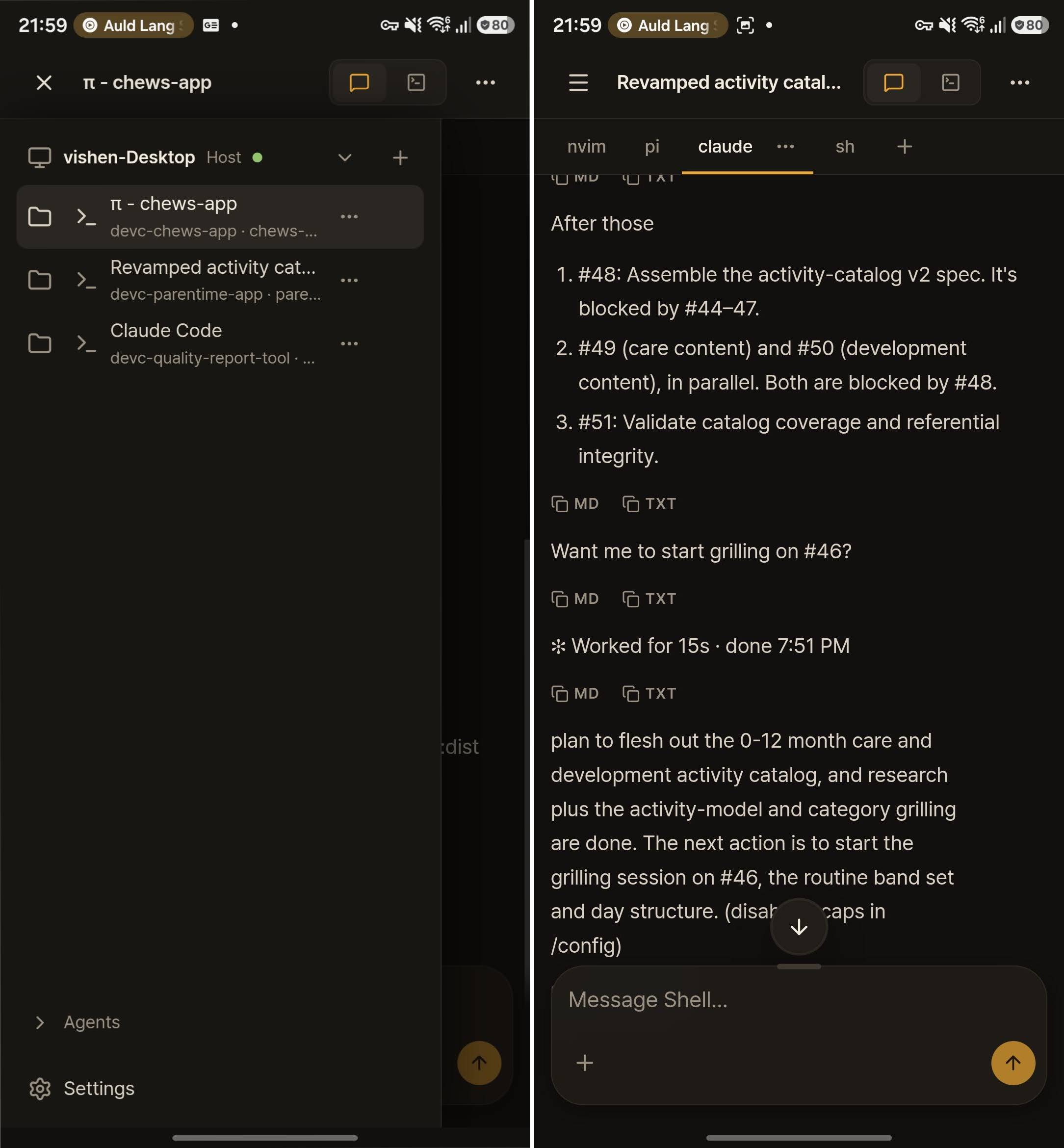
I’ve decided to fully embrace AI agent development for my personal side projects, for two reasons. The first is that I never actually made the time to work on them properly. They always got whatever time was left over, and that was rarely enough to make real progress. The second is that I wanted to see how far I could push the technology.
Keeping it cheap
These are personal projects with no funding, so cost mattered. I wanted to stay on individual tier subscriptions and keep the monthly spend predictable.
The catch is that most of these tools lock you into their own harness. Claude Code wants you in Claude Code, and most of the others work the same way. That’s fine for most people, but I wanted the flexibility to pick whichever tool suited the task.
So I set myself a goal. Take my two subscriptions, one to opencode Go and one to Claude Code Pro, and run those agents on my desktop PC in a sort of server-like fashion that I can reach from anywhere, even my phone. Think Claude Code’s hosted cloud environments, except I can use any AI tool or subscription I like.
I almost built it myself
My first instinct was to build something. As I started writing down the feature set, I realised a tool I already use every day solves about 90% of the problem out of the box: herdr.
If you haven’t come across it, herdr is a terminal workspace manager built around coding agents. It gives you persistent sessions across multiple projects for pretty much any coding agent around, and those sessions keep running whether or not you have a terminal attached.
The one gap for me was remote access. Herdr has a client-server design though, so I figured it should be straightforward to securely expose its API over my Tailscale network. Maybe I could then build a responsive web UI to render what I needed on my phone or another PC…
Lo and behold, someone already built one! herdr-web-ui does more or less what I had in mind. It has its issues, and I’m still tempted to build my own for a few workflow specific things, but I’m also weighing up contributing back to the project in a way that still honours what the author intended it to be.
Either way, it was trivial to set up. I can now use any coding agent I want from wherever I am, and it even has a nice chat interface, so I don’t have to rely on a TUI rendered in a browser.
Before building something new, check whether a tool you already use gets you most of the way there.
That nagging feeling
This worked well, but a concern kept nagging at me. These agents run directly on my machine. If one of them decided to delete something critical, reboot the PC, or install something that turned out to be malicious, I’d want it contained.
For this I ended up rolling my own version of dev containers to fit my use case. I made a base container that installs the core dependencies I always use: neovim (for when I do want to drop in and edit something myself), git, the pi coding agent for my opencode Go subscription, Claude Code, Node.js, and a few other tools and frameworks I reach for often.
I scripted it so I can run something like devc up and it spins up the project folder in a container with all the relevant dependencies. It also creates a herdr workspace with four tabs: neovim, pi, Claude Code and a plain shell.
I’m no security expert, and a container won’t stop everything. What it does do is keep an agent’s mistakes inside the container and away from the rest of my system.
Now every project I want to work on gets its own container and herdr workspace with those four tabs, and herdr-web-ui puts all of it on my phone.
- neovim
- pi
- claude
- shell
- neovim
- pi
- claude
- shell
devc upWhat’s next
That’s version 1, and it’s working great. I’ve made more traction on my side projects than ever before, relying on agents and agent workflows that I trigger from my phone.
I’ve got some ideas for a v2 that would automate more of the work. The first is a background job in each container that checks GitHub for issues, assigns one to itself, and kicks off an implementation workflow. The agent would plan the change, implement and test it, review its own work, and then open a PR for my final review and approval.
The second is hooking up my Hermes agent (maybe a topic for another post) to coordinate work across projects on my behalf. It already runs on the same host, so there’s definitely room for more automation there.
If you’re interested in the details of this setup, reach out or leave a comment on the LinkedIn post where I’ll inevitably share this. I’d love to hear how others are running theirs!